Transcribed
Course 30 - Practical Malware Development - Beginner Level | Episode 2: Mastering C# System Control: Navigating, Enumerating, and Executing
Apr 15, 2026 ·
19m 58s
Download and listen anywhere
Download your favorite episodes and enjoy them, wherever you are! Sign up or log in now to access offline listening.
Course 30 - Practical Malware Development - Beginner Level | Episode 2: Mastering C# System Control: Navigating, Enumerating, and Executing
This automatic transcript is brought to you by
Sounder.AI
This is an automatically generated transcript. Please note that complete accuracy is not guaranteed.
Description
In this lesson, you’ll learn about: Detecting and defending against system control techniques1. Directory Navigation & Enumeration (Detection) - What attackers typically do: - List files and directories - Change...
show more
In this lesson, you’ll learn about: Detecting and defending against system control techniques1. Directory Navigation & Enumeration (Detection)
You can listen and download our episodes for free on more than 10 different platforms:
https://linktr.ee/cybercode_academy
show less
- What attackers typically do:
- List files and directories
- Change working directories to explore the system
- Why it matters:
- Helps locate sensitive files (credentials, configs, backups)
- Defensive strategies:
- Monitor processes accessing large numbers of files
- Detect unusual access to:
- System directories
- User profile folders
- Use file integrity monitoring (FIM) tools
- Common data collected:
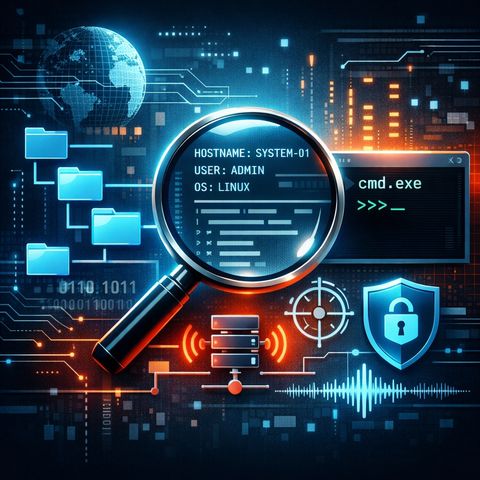
- Hostname, username, OS version
- Running processes and privileges
- Why it matters:
- Enables privilege escalation and tailored attacks
- Defensive strategies:
- Use EDR solutions to detect:
- Scripts or processes querying system info repeatedly
- Monitor abnormal use of:
- Environment variables
- Process enumeration APIs
- Use EDR solutions to detect:
- Typical attacker behavior:
- Launching cmd.exe or PowerShell silently
- Redirecting output for remote use
- Red flags:
- Hidden or background shell execution
- Non-interactive processes spawning command shells
- Defensive strategies:
- Enable logging:
- Process creation events (e.g., Event ID 4688)
- Detect:
- Parent-child anomalies (e.g., Office → cmd.exe)
- Use:
- Application allowlisting
- PowerShell constrained language mode
- Enable logging:
- Behavior pattern:
- Program receives commands → parses them → executes locally
- Indicators of compromise (IOCs):
- Repeated outbound connections to a single endpoint
- Commands executed without user interaction
- Consistent “beaconing” intervals
- Defensive strategies:
- Monitor network traffic patterns (C2 detection)
- Apply egress filtering (block unknown outbound traffic)
- Use behavioral analytics to detect automation patterns
- These techniques represent core attacker tradecraft:
- File system exploration
- System reconnaissance
- Command execution
- Strong defense relies on:
- Visibility (logs, EDR, network monitoring)
- Control (least privilege, allowlisting)
- Detection (behavior-based alerts, anomaly detection)
You can listen and download our episodes for free on more than 10 different platforms:
https://linktr.ee/cybercode_academy
Information

Copyright 2026 - Spreaker Inc. an iHeartMedia Company

Comments