Claude Code for Beginners: Complete Build Tutorial From Setup to Finished App (Free)
Jun 4, 2026 ·
1h 18m
Download and listen anywhere
Download your favorite episodes and enjoy them, wherever you are! Sign up or log in now to access offline listening.
Description
🔗 JOIN OUR FREE AI COMMUNITY Get the free Claude Code Cheat Sheet and practical AI updates: https://links.stayingahead.com/YT37 ━━━━━━━━━━━━━━━━━━━━ Learn Claude Code from installation to deployment in one complete beginner-friendly...
show more
🔗 JOIN OUR FREE AI COMMUNITY
Get the free Claude Code Cheat Sheet and practical AI updates:
https://links.stayingahead.com/YT37
━━━━━━━━━━━━━━━━━━━━
Learn Claude Code from installation to deployment in one complete beginner-friendly masterclass.
You will start with a blank folder and build three real projects using plain English: a live job-search web app, a complete data analysis with an executive PDF report, and an eight-slide investor pitch deck supported by live research.
Along the way, you will learn Claude Code fundamentals, planning, permissions, model selection, project memory, skills, hooks, custom commands, subagents, MCP servers, context management, API connections, and deployment.
No previous coding experience is required, but you should review generated code, protect API keys, test important outputs, and approve consequential actions carefully.
📦 THREE PROJECTS YOU'LL BUILD
1. Job Tracker Web App - Build, add live job search, and deploy it online.
2. Data Analysis and Executive Report - Analyze a Kaggle dataset, create charts, and produce a CMO-ready PDF without manually writing Python.
3. Investor Pitch Deck - Research a market, develop the concept, name the product, and build an eight-slide presentation.
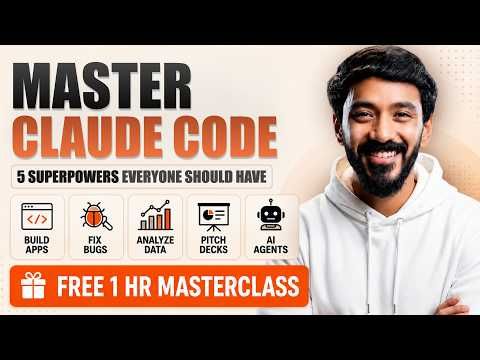
🧠 FIVE CLAUDE CODE SUPERPOWERS
- Commands and project memory
- Skills and custom reusable workflows
- Hooks for event-driven automation
- Parallel subagents for specialized tasks
- MCP servers for external tools and data
Exact models, plan limits, pricing, commands, and features can change. Use the model selector and account settings as the current source of truth. API-key usage may be billed separately from a Claude subscription.
⏱️ CHAPTERS
00:00 Build anything with Claude Code
01:46 Build a job-tracker web app
02:03 Install Claude Code on Mac and Windows
02:46 Claude Desktop: Chat, Cowork, and Code
03:31 Create your first project folder
04:20 Claude Code plans and usage
05:11 Choose Haiku, Sonnet, or Opus
06:27 Model effort settings explained
08:00 Permission modes and Plan Mode
09:51 Project 1: Write your first build prompt
11:00 Connect OpenRouter with an API key
12:41 Plan Mode interviews you before building
16:01 Add a custom design with design.md
17:45 Superpower 1: Commands, /init, and memory
18:54 Build the app in Auto Mode
20:07 Add an API key with .env
22:41 Run the app for the first time
23:02 Generate a cover letter and resume
25:45 Superpower 2: Skills and frontend design
31:01 Build a custom Scope-a-Feature skill
32:53 Add live job search with Perplexity
35:03 Manage usage, context, and /compact
37:21 Superpower 3: Hooks and automation
39:30 Build a custom /ship command
41:20 Superpower 4: Parallel subagents
44:20 Commands, hooks, skills, and agents recap
45:14 Superpower 5: MCP and Vercel deployment
49:04 Project 2: Data analysis
49:29 Load a Kaggle dataset and switch models
52:38 Ask better business-analysis questions
53:18 Generate the Python analysis
54:36 Build a CMO-ready PDF report
56:52 Improve reports with skills, plugins, and MCP
01:01:50 Project 3: Build an investor pitch deck
01:02:23 Configure Parallel Search MCP
01:03:04 Run live market research
01:04:55 Research, naming, and PPTX design
01:07:31 Review the eight-slide investor deck
01:11:50 Bonus: Advanced model workflows
01:13:00 Run multiple self-correcting agents
01:17:00 Final lesson for AI builders
━━━━━━━━━━━━━━━━━━━━
📺 WATCH NEXT
Build and Benchmark Claude Skills:
https://youtu.be/hqiStqp6FL4
Claude Cowork Complete Beginner Tutorial:
https://youtu.be/CpDM2ZXapBs
Build Three Claude AI Agents Without Coding:
https://youtu.be/gWtAY8LxGtE
━━━━━━━━━━━━━━━━━━━━
Subscribe for practical AI tutorials and tool breakdowns every week.
FOLLOW VAIBHAV SISINTY
Instagram:
https://www.instagram.com/vaibhavsisinty
X / Twitter:
https://twitter.com/VaibhavSisinty
Facebook:
https://www.facebook.com/vaibhavsisinty/
LinkedIn:
https://www.linkedin.com/in/vaibhavsisinty
━━━━━━━━━━━━━━━━━━━━
⚠️ DISCLAIMER
🤖 This video was created with the assistance of AI tools. The script, voiceover, visuals and some editing elements were generated or enhanced using AI, with human oversight applied to fact-check and structure the content.
🔄 AI moves fast, so accuracy, pricing and availability of the tools mentioned may change after the time of recording. Always verify details from official sources.
📚 This content is educational and informational only. It is not financial, legal, medical or professional advice. Do your own research before making decisions based on anything discussed here.
™️ All names, brands and products referenced are used for informational purposes only and remain the property of their respective owners.
✅ Stay critical, stay curious, and use AI responsibly.
#ClaudeCode #ClaudeCodeTutorial #ClaudeAI
show less
Get the free Claude Code Cheat Sheet and practical AI updates:
https://links.stayingahead.com/YT37
━━━━━━━━━━━━━━━━━━━━
Learn Claude Code from installation to deployment in one complete beginner-friendly masterclass.
You will start with a blank folder and build three real projects using plain English: a live job-search web app, a complete data analysis with an executive PDF report, and an eight-slide investor pitch deck supported by live research.
Along the way, you will learn Claude Code fundamentals, planning, permissions, model selection, project memory, skills, hooks, custom commands, subagents, MCP servers, context management, API connections, and deployment.
No previous coding experience is required, but you should review generated code, protect API keys, test important outputs, and approve consequential actions carefully.
📦 THREE PROJECTS YOU'LL BUILD
1. Job Tracker Web App - Build, add live job search, and deploy it online.
2. Data Analysis and Executive Report - Analyze a Kaggle dataset, create charts, and produce a CMO-ready PDF without manually writing Python.
3. Investor Pitch Deck - Research a market, develop the concept, name the product, and build an eight-slide presentation.
🧠 FIVE CLAUDE CODE SUPERPOWERS
- Commands and project memory
- Skills and custom reusable workflows
- Hooks for event-driven automation
- Parallel subagents for specialized tasks
- MCP servers for external tools and data
Exact models, plan limits, pricing, commands, and features can change. Use the model selector and account settings as the current source of truth. API-key usage may be billed separately from a Claude subscription.
⏱️ CHAPTERS
00:00 Build anything with Claude Code
01:46 Build a job-tracker web app
02:03 Install Claude Code on Mac and Windows
02:46 Claude Desktop: Chat, Cowork, and Code
03:31 Create your first project folder
04:20 Claude Code plans and usage
05:11 Choose Haiku, Sonnet, or Opus
06:27 Model effort settings explained
08:00 Permission modes and Plan Mode
09:51 Project 1: Write your first build prompt
11:00 Connect OpenRouter with an API key
12:41 Plan Mode interviews you before building
16:01 Add a custom design with design.md
17:45 Superpower 1: Commands, /init, and memory
18:54 Build the app in Auto Mode
20:07 Add an API key with .env
22:41 Run the app for the first time
23:02 Generate a cover letter and resume
25:45 Superpower 2: Skills and frontend design
31:01 Build a custom Scope-a-Feature skill
32:53 Add live job search with Perplexity
35:03 Manage usage, context, and /compact
37:21 Superpower 3: Hooks and automation
39:30 Build a custom /ship command
41:20 Superpower 4: Parallel subagents
44:20 Commands, hooks, skills, and agents recap
45:14 Superpower 5: MCP and Vercel deployment
49:04 Project 2: Data analysis
49:29 Load a Kaggle dataset and switch models
52:38 Ask better business-analysis questions
53:18 Generate the Python analysis
54:36 Build a CMO-ready PDF report
56:52 Improve reports with skills, plugins, and MCP
01:01:50 Project 3: Build an investor pitch deck
01:02:23 Configure Parallel Search MCP
01:03:04 Run live market research
01:04:55 Research, naming, and PPTX design
01:07:31 Review the eight-slide investor deck
01:11:50 Bonus: Advanced model workflows
01:13:00 Run multiple self-correcting agents
01:17:00 Final lesson for AI builders
━━━━━━━━━━━━━━━━━━━━
📺 WATCH NEXT
Build and Benchmark Claude Skills:
https://youtu.be/hqiStqp6FL4
Claude Cowork Complete Beginner Tutorial:
https://youtu.be/CpDM2ZXapBs
Build Three Claude AI Agents Without Coding:
https://youtu.be/gWtAY8LxGtE
━━━━━━━━━━━━━━━━━━━━
Subscribe for practical AI tutorials and tool breakdowns every week.
FOLLOW VAIBHAV SISINTY
Instagram:
https://www.instagram.com/vaibhavsisinty
X / Twitter:
https://twitter.com/VaibhavSisinty
Facebook:
https://www.facebook.com/vaibhavsisinty/
LinkedIn:
https://www.linkedin.com/in/vaibhavsisinty
━━━━━━━━━━━━━━━━━━━━
⚠️ DISCLAIMER
🤖 This video was created with the assistance of AI tools. The script, voiceover, visuals and some editing elements were generated or enhanced using AI, with human oversight applied to fact-check and structure the content.
🔄 AI moves fast, so accuracy, pricing and availability of the tools mentioned may change after the time of recording. Always verify details from official sources.
📚 This content is educational and informational only. It is not financial, legal, medical or professional advice. Do your own research before making decisions based on anything discussed here.
™️ All names, brands and products referenced are used for informational purposes only and remain the property of their respective owners.
✅ Stay critical, stay curious, and use AI responsibly.
#ClaudeCode #ClaudeCodeTutorial #ClaudeAI
Information
| Author | gter |
| Organization | gter |
| Website | - |
| Tags |
-
|

Copyright 2026 - Spreaker Inc. an iHeartMedia Company

Comments